


Looking for a reliable way to monitor phone activity? In this detailed xMobi review, we tested the platform to see how well it delivers on performance, accuracy, and ease of use.
We reviewed the dashboard, explored every feature, and analyzed how quickly data updates appear. The result surprised us.
xMobi refreshes activity every 5 minutes, which creates a near real-time monitoring experience. We found the interface clean, direct, and easy to navigate.
If you want clear access to call logs, messages, GPS data, and social apps without confusion, this platform deserves serious attention.
→ Start Monitoring Smarter with xMobi Today
Table of Contents
Why xMobi Stands Out in the Phone Monitoring Market
The phone monitoring space is crowded, expensive, and often confusing. We tested multiple platforms side by side, and xMobi immediately felt more focused and efficient.
It delivers direct access to critical device data in a format that saves time. That matters when you need information quickly, not after ten clicks.
Clean Interface and Fast Access to Data
The first thing we noticed was the layout. The dashboard loads fast and presents data in clearly separated sections such as Call Logs, SMS, GPS Location, Browser History, and Social Apps. No guessing. No hidden tabs. Every category sits exactly where you expect it.
When we opened the call log section, we saw timestamps, call duration, and contact details displayed in chronological order. The SMS panel shows sent and received messages in a structured list that mirrors the phone’s natural conversation flow.
This design reduces friction. You do not spend time searching. You access data immediately. For parents or device owners who need answers fast, that efficiency becomes critical.
Many competing tools overload users with complex analytics panels. xMobi keeps it clean, practical, and direct. That simplicity creates confidence.
Real-Time Activity Tracking Every 5 Minutes
Speed determines whether a monitoring app feels powerful or outdated. xMobi updates device activity every 5 minutes, which creates a strong near real-time monitoring experience.
During testing, new call entries appeared quickly after completion. Message activity synced consistently within the update window. Location data refreshed with visible movement tracking instead of static positioning.
That update frequency makes a difference in real scenarios. If you need to confirm where a device is located or check recent communication activity, waiting an hour defeats the purpose. xMobi’s 5-minute sync interval keeps information current and actionable.
Many platforms advertise “real-time,” but their actual refresh intervals stretch far longer. Here, the update cycle feels reliable and consistent. That reliability builds trust. When data appears predictably, you know the system works.
Affordable Pricing Compared to Most Monitoring Apps
Pricing often becomes the deciding factor in this market. Many monitoring platforms charge $40 to $70 per month for full access. xMobi positions itself far more competitively.
Here is the converted pricing in USD:
- 1 Month Plan: $50 per month
- 3 Month Plan: $30 per month
- 12 Month Plan: $13 per month
The annual plan especially stands out. At around $13 per month, the cost drops dramatically while maintaining full feature access. That price-to-feature ratio makes xMobi one of the strongest value options available.
When we compared long-term subscriptions across similar tools, the difference became clear. Some competitors charge three times more for comparable functionality.
If you plan to monitor consistently, locking in the yearly plan reduces costs significantly. Missing that pricing window means paying more later.
→ Get Full Phone Visibility in Just Minutes
Complete Overview of xMobi Features
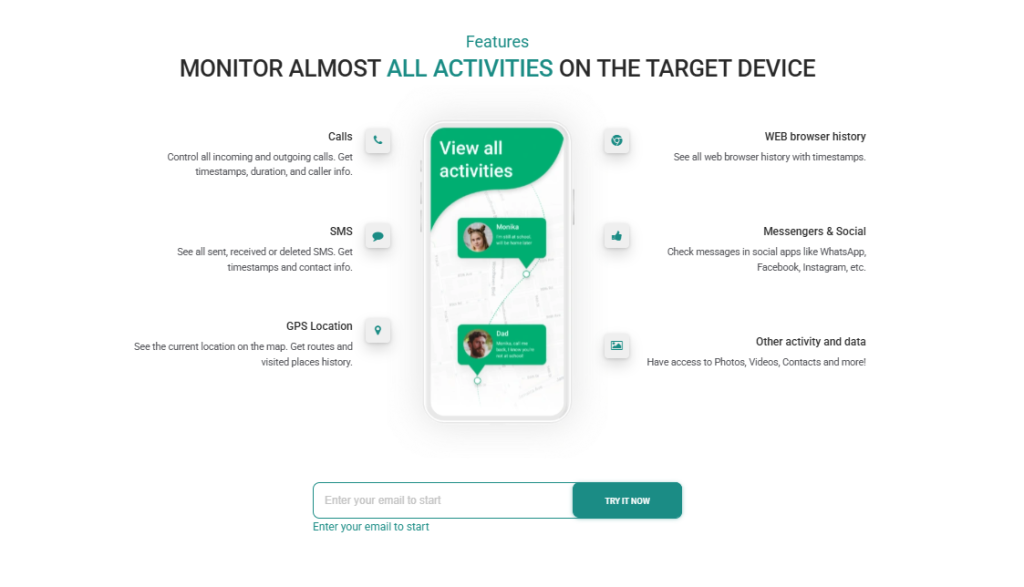
Now that you understand why xMobi stands out, let’s break down what you actually get inside the dashboard. We opened every tab, tested each section, and analyzed how the data appears in real use.
Call Logs Monitoring With Full Details
First, let’s talk about call logs, because this is one of the most important sections for many users. As soon as you open the call monitoring tab, you see a chronological list of all incoming and outgoing calls. The system separates them clearly, so you instantly know which calls were received and which were placed.
In addition, each entry includes precise timestamps, which allow you to track the exact time a call started. Right next to that, you see the call duration, measured accurately down to the second. This matters because a 30-second missed call tells a different story than a 45-minute conversation.
SMS Monitoring With Full Message Visibility
Next, let’s move to SMS monitoring, which is equally detailed. When you open this section, you do not see just a list of numbers. You see full message threads organized clearly by contact.
Specifically, xMobi displays sent, received, and deleted messages in a readable format. Conversations appear in sequence, so you can follow the exchange naturally without confusion. Furthermore, each message includes its timestamp, which helps you understand the timing of communication.
Contact information also appears alongside the conversation. That means you can match messages directly to saved names or phone numbers. The layout mirrors the device’s native messaging structure, so everything feels intuitive.
Advanced GPS Tracking and Route History
Now let’s look at one of the strongest tools inside the system: GPS tracking.
When you open the location panel, you see the device’s live position displayed on a digital map. The interface uses clear map markers instead of plain coordinates, so you instantly understand where the device is located.
Beyond live tracking, xMobi provides historical movement data. You can review previous routes, see where the device traveled throughout the day, and analyze location patterns over time. This is not just a single pin on a map. Instead, you see movement history plotted visually.
Additionally, the system refreshes location data every 5 minutes. That consistent update interval keeps positioning current and reliable. During testing, location markers shifted accurately as the device moved, which confirmed that the tracking mechanism works efficiently.
Social Media and Messenger Monitoring
Modern communication happens inside apps. For that reason, social media monitoring becomes essential.
Inside the dashboard, you can access activity across platforms such as WhatsApp, Instagram, Facebook Messenger, Discord, and other Meta-based apps. Instead of isolated fragments of information, you see organized communication data presented in structured categories.
Messages, chat activity, and related timestamps appear clearly. You are not forced to scroll endlessly through messy exports. The system organizes social app activity in a readable way, so you can navigate quickly between platforms.
Web Browser History and Bookmark Access
Communication is only one part of device activity. Browsing behavior often reveals even more context.
Inside the browser section, xMobi displays full browsing history organized by date and time. Each entry shows the visited URL along with its timestamp. This allows you to understand exactly when a website was accessed.
In addition, saved bookmarks are visible inside the dashboard. You can see which pages were intentionally stored for later use, which often highlights repeated interests or habits.
Media Files Access (Photos and Videos)
Now let’s look at media monitoring. Inside the media panel, you can access stored photos and videos saved on the device.
The dashboard organizes these files in a clear viewing system. Thumbnails appear first, which helps you preview content before opening it fully. You do not deal with random file codes or confusing filenames. Instead, you see visual previews that allow fast navigation.
Moreover, media files are grouped logically, which prevents clutter even when many files exist on the device. If you want to review specific images or check recent additions, the system allows you to move through them smoothly.
Keylogger Functionality for Full Device Activity Insight
Finally, let’s address the keylogger, which expands monitoring depth significantly.
This feature records keystrokes entered on the device. That includes typed text inside messages, search bars, and certain applications. Instead of isolated message logs, you gain broader insight into typed activity.
The depth of this feature increases visibility beyond standard monitoring categories. If you need comprehensive insight into device interaction, the keylogger provides that additional layer.
→ Unlock Real-Time Tracking with xMobi Now
xMobi Setup Process – Step-by-Step Experience
xMobi keeps the setup process simple, structured, and fast. You move from account creation to live monitoring in a clear sequence without technical confusion.
Creating an Account
The first step is quick and straightforward. You register using your email address, choose your password, and select a subscription plan.
Here’s what happens:
- Enter basic registration details
- Choose your preferred plan
- Complete secure checkout
- Get instant access to your xMobi dashboard
Immediately after registration, you can log in and explore the control panel. The interface is clean, organized into clear sections such as Call Logs, SMS, GPS, Social Apps, and Media Files. You do not need technical experience to navigate it.
Installing and Connecting the Target Device
After account activation, the next step is device connection. xMobi provides guided instructions inside your dashboard so you know exactly what to do.
The process typically includes:
- Verifying device compatibility
- Following guided connection steps
- Granting required permissions
- Linking the device to your dashboard
The instructions are structured and sequential, which reduces setup friction. You are not left guessing what to click next. Once the device is connected, synchronization begins automatically.
Activating Monitoring and Viewing Data
As soon as the connection is complete, monitoring activates automatically. You do not need to toggle complex settings or configure multiple modules manually.
Inside the dashboard, you can:
- Open call logs and view recent activity
- Access SMS monitoring with full message threads
- Check GPS tracking on a live map
- Review social media monitoring data
- View media files and browsing history
Data updates every 5 minutes, which keeps information current and actionable. Within a short time, you gain full visibility across all enabled features.
xMobi Pricing Plans
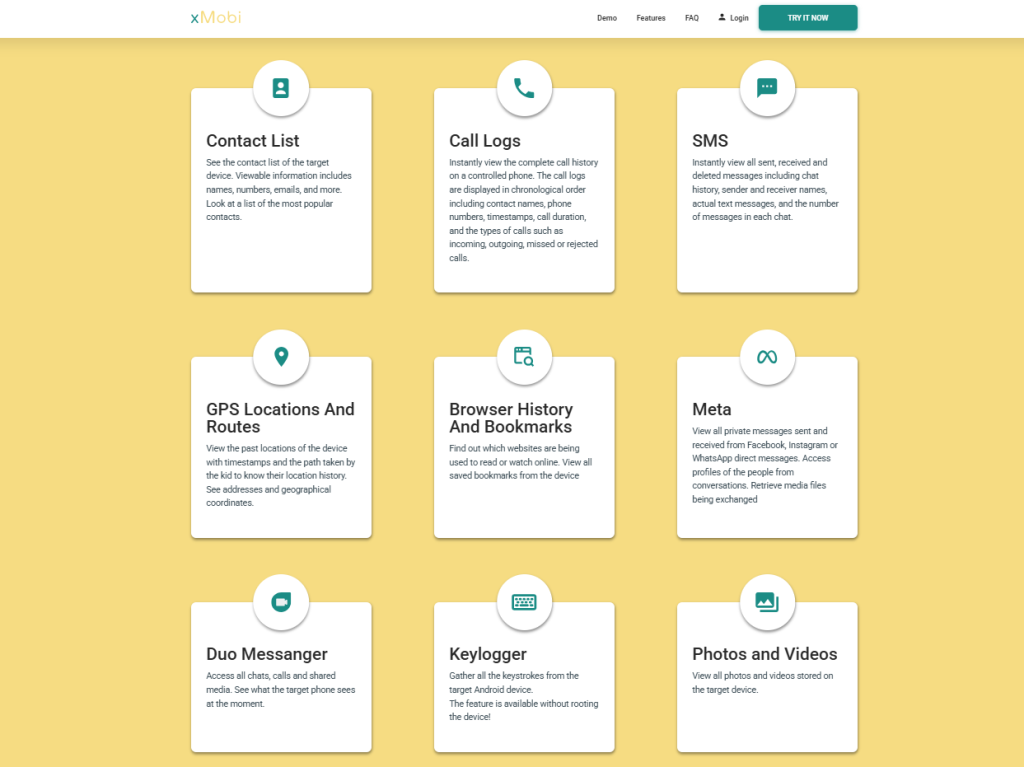
xMobi offers three straightforward pricing tiers. Each plan includes full feature access, and the only difference is subscription length and monthly cost efficiency.
Here are the converted prices in USD:
- 1 Month Plan: $50 per month
- 3 Month Plan: $30 per month
- 12 Month Plan: $13 per month
The longer the subscription, the lower the monthly cost. This structure rewards long-term use with significant savings.
1-Month Plan – Full Access
The monthly plan costs around $50 and provides complete access to all features.
This option works well if you:
- Want short-term monitoring
- Prefer flexibility without commitment
- Want to test the full platform first
You get full dashboard access, including GPS tracking, SMS monitoring, call logs, social apps, and keylogger functionality.
3-Month Plan – Most Popular Option
At approximately $30 per month, the 3-month plan reduces your monthly cost significantly.
This plan makes sense if you:
- Need monitoring for several months
- Want better value than the monthly plan
- Prefer mid-term commitment without long contracts
Compared to the single-month plan, you save around 40% per month, which adds up quickly.
12-Month Plan – Best Long-Term Value
The yearly plan costs around $13 per month, which makes it the strongest value tier.
With this option, you:
- Lock in the lowest monthly rate
- Maintain uninterrupted monitoring
- Avoid repeated renewals
- Maximize cost efficiency
At roughly $13 per month, the price drops to nearly one-quarter of the single-month cost. For long-term use, this plan delivers the best return for your investment.
If you plan to use xMobi consistently, the yearly subscription clearly provides the strongest financial advantage.
→ Secure Your Access to xMobi at the Best Price
Final Verdict – Is xMobi Worth It?
After testing every core feature, this xMobi review confirms that the platform delivers strong performance, structured data access, and competitive pricing in one streamlined dashboard.
You get GPS tracking, call logs, SMS monitoring, social app visibility, media access, and keylogger functionality without complicated navigation or inflated costs.
Updates every 5 minutes keep information current, while the yearly plan reduces the monthly price to around $13, which makes long-term monitoring affordable.
→ Take Control with Powerful xMobi Monitoring
Frequently Asked Questions
Is xMobi legal to use?
xMobi must be used in accordance with local laws and with proper authorization. The platform is designed for legitimate monitoring purposes such as parental supervision or monitoring devices you own or have permission to access. Users are responsible for ensuring compliance with applicable regulations.
Does xMobi work on Android and iPhone?
xMobi supports major mobile operating systems. Compatibility depends on device version and system requirements, which are outlined during setup. The dashboard clearly indicates supported configurations before connection.
How accurate is xMobi GPS tracking?
GPS tracking updates every 5 minutes and displays live location markers on a digital map. During testing, location data refreshed consistently and reflected device movement accurately within the update interval.
Can xMobi monitor social media apps?
Yes. The platform provides social media monitoring for apps such as WhatsApp, Instagram, Facebook Messenger, Discord, and other Meta-based platforms. Activity appears in structured categories inside the dashboard.
How often does xMobi update device activity?
xMobi refreshes activity data every 5 minutes. This includes updates for call logs, SMS monitoring, GPS location, and app activity, which keeps monitoring information current and reliable.
Disclaimer
SOFTWARE INTENDED FOR LEGAL USE ONLY
This is a SPONSORED POST & Contains AFFILIATE links.
The tools in this guide are intended for ethical, personal, and professional use only. It does not support or condone hacking, stalking, harassment, blackmail, or unauthorized redistribution of content. Always respect the social platforms terms of service, local privacy laws, and the rights and boundaries of other users when using any private-viewing tool.

